Getting started
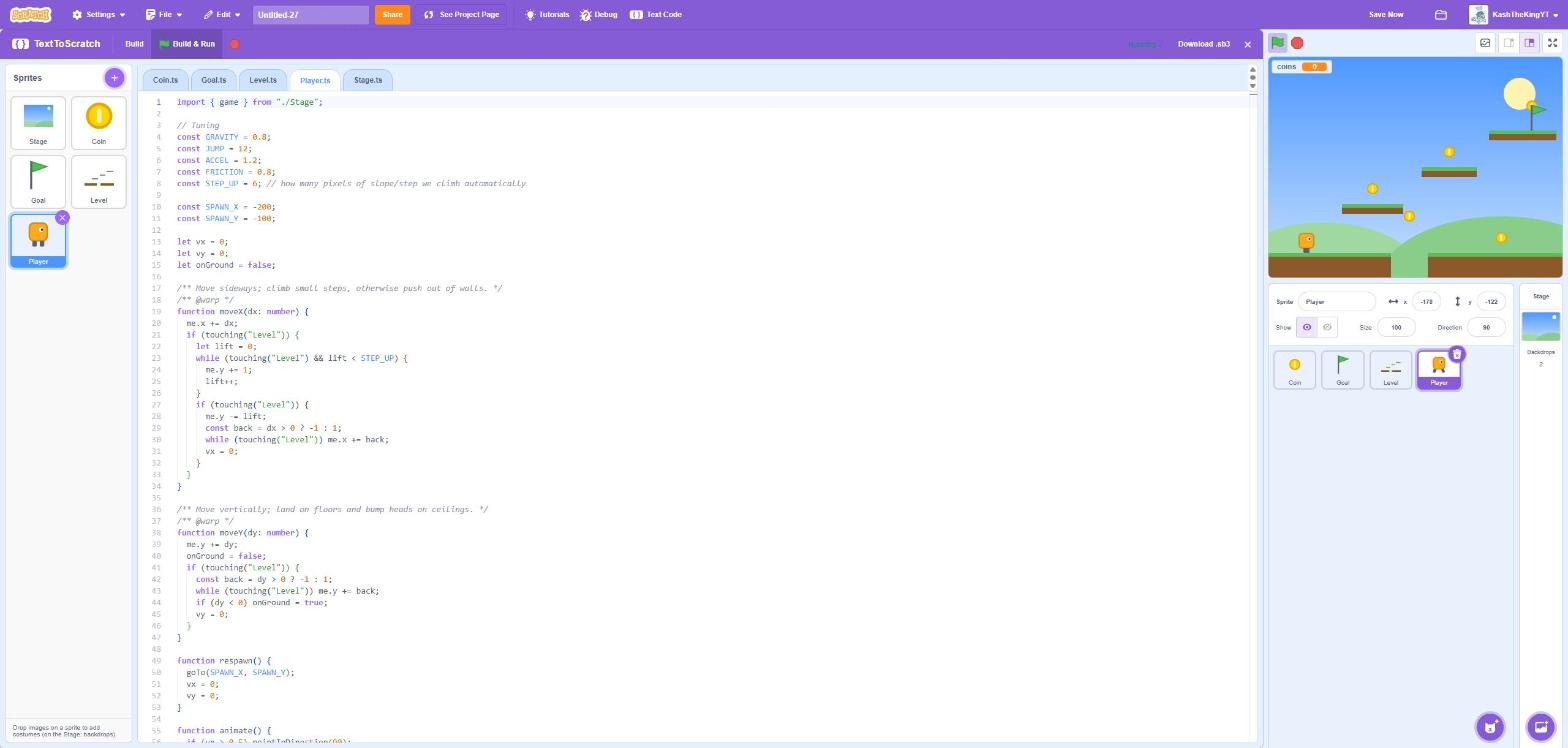
TextToScratch lets you build Scratch projects by writing typed TypeScript instead of dragging blocks. You still draw your sprites and backdrops in Scratch. TextToScratch turns your code into ordinary Scratch blocks, so the result is a normal project you can play, share, and remix.
Why text?
- Types catch mistakes. The real TypeScript compiler checks everything, including the names of your sprites, costumes, backdrops and sounds. A typo is an error before the game ever runs.
- Bigger projects stay readable. Functions, constants, comments, and search and replace all work, and there are no 300-block scripts to scroll through.
- It's still Scratch. The output uses only standard blocks, so anyone can open it in Scratch and see exactly what your code became.
Three ways to use it
| Best for | |
|---|---|
| Browser extension | Coding inside the Scratch editor next to your stage and sprites. Recommended. |
| Web editor | Trying it out with no install: open an .sb3, edit, download. |
| CLI | VS Code, git, and keeping your art as image files in folders. |
A taste
Player.ts
import { game } from "./Stage";

whenFlag(() => {
  goTo(0, 0);
  forever(() => {
    if (keyPressed("right arrow")) me.x += 5;
    if (keyPressed("left arrow")) me.x -= 5;
    if (touching("Coin")) game.score++;
  });
});
Each file is one sprite (Stage.ts is the stage). whenFlag, forever, keyPressed and touching are Scratch blocks.
me is the current sprite, and game is shared state that every sprite can read and change.
Ready? Install the extension, then follow the platformer tutorial.
Play the games
Every example game is in the official TextToScratch studio on Scratch. Made something? Add it there, and show it off on the TextToScratch Discord!