Game engine
TextToScratch ships with a game engine written in TextToScratch. Import a module and call it from any sprite:
import * as Physics from "tts/physics";
import * as Input from "tts/input";
import * as Camera from "tts/camera";

whenFlag(() => {
  forever(() => {
    Physics.push(Input.axisX() * 1.2, 0);
    if (Input.jumpPressed()) Physics.jump(12);
    Physics.step("Level");
  });
});
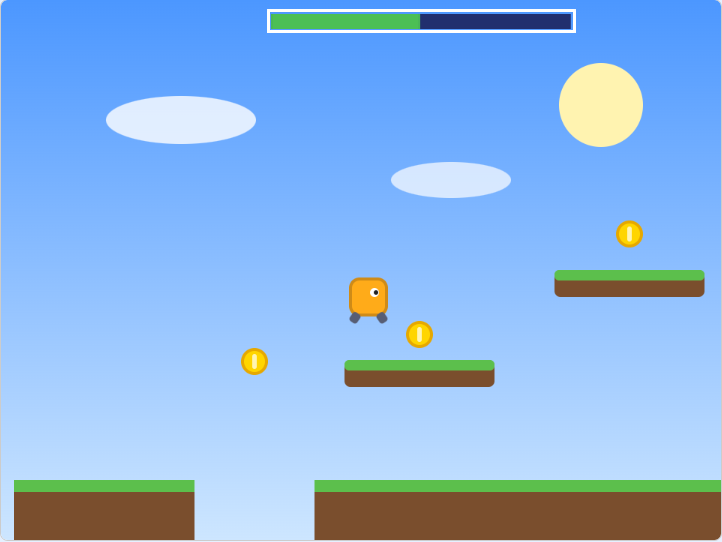
Open them in Scratch with File → Load from your computer, then click Text Code to read the source: Sky Run (scrolling platformer) · 3D demo · Multiplayer demo (share it, or use TurboWarp, to play online)
Modules
| Import | What it gives you |
|---|---|
tts/physics | gravity, friction, pixel-perfect platformer and top-down collision |
tts/input | movement axes, "pressed this frame" keys, mouse clicks |
tts/camera | scrolling worlds, follow/shake/zoom, big levels from tiles |
tts/anim | costume animations (walk1, walk2, ...) as calls or objects |
tts/3d | perspective projection, pen-drawn wireframes and filled triangles, 3D sprites |
tts/net | online multiplayer over cloud variables (6 players + chat) |
tts/math | clamp, lerp, atan2, direction, easing, box overlap |
tts/data | split/join, slices, search & replace, sorting, save codes |
tts/time | cooldowns, countdowns, frame delta time |
tts/scene | game states (menu, playing, game over) |
tts/draw | pen rectangles, outlines, circles, health bars |
tts/particles | clone-based particle bursts |
Your own code can be organised the same way: write classes, and put shared code in src/lib/.
How it works
Scratch has no shared functions: every custom block belongs to one sprite. So the compiler copies each library
function you use into each sprite that uses it, as a custom block named after its module (physics.step, math.clamp).
Only what you use is included, so an unused module adds nothing to your project.
| In a library module | Becomes |
|---|---|
export function f() | a custom block, copied into each sprite that calls it |
let x = 0 / export let x = 0 | a variable for this sprite only, so each sprite (and clone) has its own copy (physics.vx) |
export const state = { ... } | global variables, shared by every sprite (camera.view.cameraX) |
const N = 5 | inlined constant |
export class C | a class; each object created with new gets its own variables |
That's why Physics.vx belongs to the sprite that calls Physics.step(): every sprite (and every clone) has its own physics body.
Your own libraries
Put shared code in src/lib/. Files there aren't sprites; any sprite can import them:
export const DAMAGE = 10;

export function knockback(fromX: number) {
  me.x += me.x > fromX ? 20 : -20;
}
import { knockback } from "./lib/combat";
onMessage("hit", () => knockback(0));
Library files can contain declarations only: functions, classes, variables and types. Events like whenFlag belong in sprite files.