2D games: physics, input, camera, animation
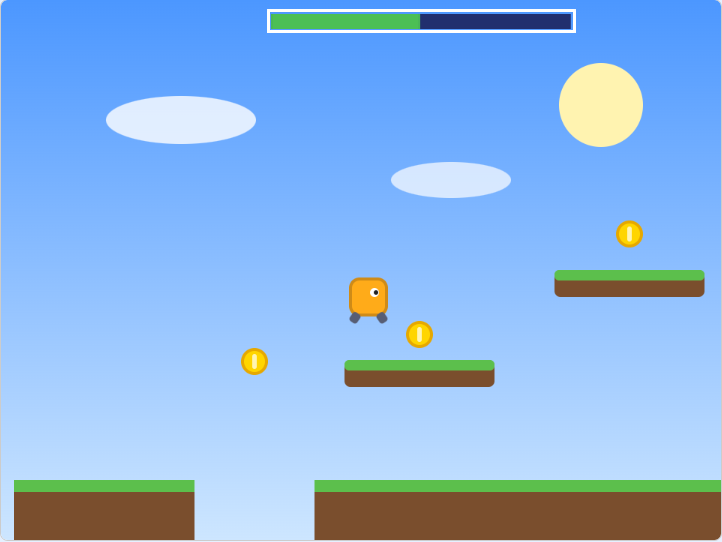
These four modules make up a platformer or top-down game. Sky Run (examples/engine-demo) uses all of them,
together with scenes, particles and a pen HUD.
Physics
import * as Physics from "tts/physics"
Each sprite that calls these functions has its own body. Collisions are pixel-perfect against a solid sprite: draw every wall and floor on one sprite's costume (or tiles of it).
| Function | |
|---|---|
configure(gravity, friction, maxFall) | e.g. 0.8, 0.8, 15. Friction multiplies horizontal speed every frame. |
setHitbox(costume) | collide using a plain rectangle costume, so animation frames can't snag on walls |
setStepUp(pixels) | small steps and slopes the body climbs automatically (default 6) |
push(dx, dy) / setVelocity(x, y) | change the velocity |
jump(power) | jump if on the ground |
step(solid) | platformer step: gravity, friction, move and collide |
stepTopDown(solid) | the same without gravity (friction on both axes) |
moveX(dx, solid) / moveY(dy, solid) | move one axis with collision |
groundBelow(solid) | is there ground right below? |
bounceInStage(halfW, halfH) | reverse velocity at the stage edges |
vx, vy, onGround, hitWall, hitCeiling | the body's state after a step |
Physics.configure(0.8, 0.8, 14);
Physics.setHitbox("physics");
forever(() => {
  Physics.push(Input.axisX() * 1.2, 0);
  if (Input.jumpPressed()) Physics.jump(12);
  Physics.step("Level");
});
Input
import * as Input from "tts/input"
| Function | |
|---|---|
axisX() / axisY() | -1, 0 or 1 from arrow keys and WASD |
jumpHeld() | space, up or W held |
jumpPressed() | true only on the frame a jump key goes down |
mouseClicked() | true only on the frame the mouse goes down |
pressedOnce(key) | true only on the frame key goes down |
"Pressed" functions remember the previous frame per sprite, so call each one once per frame.
Camera
import * as Camera from "tts/camera"
Keep positions in world coordinates and let the camera put sprites on screen. The camera is shared by all sprites.
| Function | |
|---|---|
follow(x, y, smoothing) | ease toward a point (0.1–0.2 feels good) |
lookAt(x, y) / clampTo(minX, minY, maxX, maxY) | snap / keep inside the level |
shake(strength) / setZoom(percent) | effects |
place(worldX, worldY) | put this sprite on screen; hides it when off screen and sets onScreen |
placeTile(worldX, worldY, halfW, halfH) | the same for big sprites such as level tiles |
toWorldX(screenX) / toWorldY(screenY) | screen to world |
toScreenX(worldX) / toScreenY(worldY) | world to screen |
mouseWorldX() / mouseWorldY() | the mouse in world coordinates |
view.cameraX, view.cameraY, view.zoom | the shared camera |
Scrolling platformers
Scratch won't move a sprite fully off stage, so:
- Build levels from screen-sized tiles. Give the level sprite costumes
tile1,tile2, ..., make one clone per tile, and callplaceTile(i * 480, 0, 240, 180)every frame. - Run physics on screen, then convert back to world coordinates:
Camera.place(wx, wy);          // 1. put the player on screen
Physics.step("Level");         // 2. collide with the tiles on screen
wx = Camera.toWorldX(me.x);    // 3. back to world coordinates
wy = Camera.toWorldY(me.y);
Camera.follow(wx, wy, 0.12);   // 4. move the camera last
- Let the player's script be the only one moving the camera, and make world objects clones, so they update after the player each frame.
- A sprite can't go much below y = -180, so detect "fell in a pit" just under the floor (e.g.
wy < -165).
Animation
import * as Anim from "tts/anim"
Name your frames <name><n>: walk1, walk2, ... The quick form plays one animation at a time per sprite:
if (!Physics.onGround) Anim.show("jump");
else if (Math.abs(Physics.vx) > 1) Anim.play("walk", 2, 8);   // 2 frames at 8 fps, looping
else Anim.show("idle");                                        // a single costume: no animation
| Function | |
|---|---|
play(name, frames, fps) | loop name1..nameN; restarts from frame 1 when switching animations |
playOnce(name, frames, fps) | play once, hold the last frame; returns true when finished |
show(costume) | show one costume, no animation |
restart() | start the current animation over |
Or keep configured animations as objects (each clone gets its own):
const walk = new Anim.Animation("walk", 4, 10);
const die = new Anim.Animation("die", 6, 12, false);   // false = play once

onMessage("hit", () => die.restart());
forever(() => {
  walk.show();
  if (die.finished()) deleteClone();
});
Animation has restart(), show(), frame(), finished() and the fields prefix, frames, fps, loop and speed.